Free online PDF tools — no sign-up needed
Free PDF tools for every task, on any device
Compress, merge, split, sign, and protect PDFs in seconds. Everyday tools run on your device, so your file is never uploaded. Heavy jobs like OCR, Office conversion, and AI run on our secure cloud, so even a low-end phone stays fast. Free covers files up to 100 MB.
- Your file never leaves your device
- No ads, no watermark, no sign-up
- Heavy jobs run in our cloud
- Everyday tools run on your device — your file is never uploaded.
- Free: 20 jobs a day, files up to 100 MB, no ads, no watermark, no sign-up.
- OCR, Office conversion, and AI run on our secure cloud and clean up within 1 hour.
- Typical everyday file finishes in about 2 seconds.
- Merge PDFCombine PDFs and photos into one ordered PDF, ready to email, print, or upload.
- Split PDFBreak one PDF into separate files by page range, fixed page count, or single pages.
- Split PDF by SizeCut a large PDF into smaller parts around the size you choose, ready for email and upload limits.
- Extract PagesSave only the pages you need from a PDF as a new file, together or as separate pages.
- Remove PagesTap the pages you don't want and download a clean PDF without them.
- Rotate PDFTurn sideways or upside-down pages the right way up and save the PDF that way.
- Crop PDFTrim margins and keep just the part of the page you need — with a live preview.
- Rearrange PDFDrag pages into the right order, rotate or remove any page, and save a tidy PDF.
- Compress PDFMake your PDF small enough for email, WhatsApp, and upload portals, with pages that still read clearly.
- Compress ImagesShrink JPG, PNG, and WebP photos before you send, post, or upload them — sharp on screen, light enough for any portal.
- PDF to ImageTurn every PDF page into a sharp JPG, PNG, or other image, ready to post, share, or drop into slides.
- Image to PDFTurn photos, scans, and screenshots into one tidy PDF, or a separate PDF for each image.
- OCR PDFTurn scanned pages into a searchable PDF, so you can find, select, and copy the text.
- PDF to WordTurn a PDF into an editable Word document, so you can update the text instead of retyping it.
- PDF to ExcelPull tables out of a PDF and into an editable Excel sheet you can sort, filter, and total.
- PDF to PowerPointTurn PDF pages into PowerPoint slides you can present, rearrange, and build on.
- Word to PDFTurn DOC and DOCX files into clean PDFs that look the same on every screen and printer.
- Excel to PDFTurn XLS and XLSX spreadsheets into tidy PDFs that anyone can open, read, and print.
- PowerPoint to PDFTurn PPT and PPTX slides into a PDF handout that opens on any device, one slide per page.
- ODT to PDFTurn OpenDocument Text files into PDFs that open on any device, with your layout intact.
- ODS to PDFTurn OpenDocument spreadsheets into print-ready PDFs that anyone can open and check.
- ODP to PDFTurn OpenDocument presentations into a PDF slide deck that opens on any phone or laptop.
- RTF to PDFTurn Rich Text Format files into polished PDFs that are easy to send, print, and archive.
- CSV to PDFTurn a CSV export into a clean, printable PDF with each row laid out neatly on the page.
- HTML to PDFTurn an HTML file or pasted code into a print-ready PDF with your styling in place.
- URL to PDFPaste a link and save a public webpage as a PDF to read offline, print, or keep for later.
- EPUB to PDFTurn an EPUB ebook into a PDF with fixed pages you can print, annotate, and share.
- TXT to PDFTurn a plain .txt file into a neat PDF with margins, wrapped lines, and your choice of font size.
- ZIP to PDFUpload a ZIP of photos, scans, or PDFs and get back one combined PDF in file name order.
- Edit PDFChange the words on the page, rewrite whole paragraphs in Document mode, sign, highlight, draw, and add images.
- Fill PDF FormType into forms, tick boxes, and pick dropdowns — no printing, no scanning.
- Add WatermarkType a watermark or upload a logo, and see it before you save.
- Add Page NumbersNumber the pages you choose, and see them before you download.
- Sign PDFDraw, type, or upload your signature, add initials, a date, or text, and download the signed PDF.
- Protect PDFLock your PDF with a password and AES-256 encryption, and choose whether printing and copying are allowed.
- Unlock PDFEnter the password once and download a copy of your PDF that opens without it.
- Repair PDFFix a damaged PDF that won't open and see exactly how many pages came back.
- Compare PDFSee every change between two PDF versions — side by side, word by word.
- Summarize PDFGet the key points of a long PDF in seconds, then ask follow-up questions about it.
- Generate QuestionsTurn any PDF into multiple-choice, true-or-false, or open-ended questions with answers you can reveal.
- Chat with PDFAsk questions about your PDF in plain language and get answers from the document itself.
Finish the PDF job. Keep the rest simple.
PDFTrusted is a calm toolkit for the documents you already have — compress, convert, organize, sign, protect, and ask questions — without ads or noise. Sign in for PDFTrusted Storage and tool History when you want files ready for the next job.
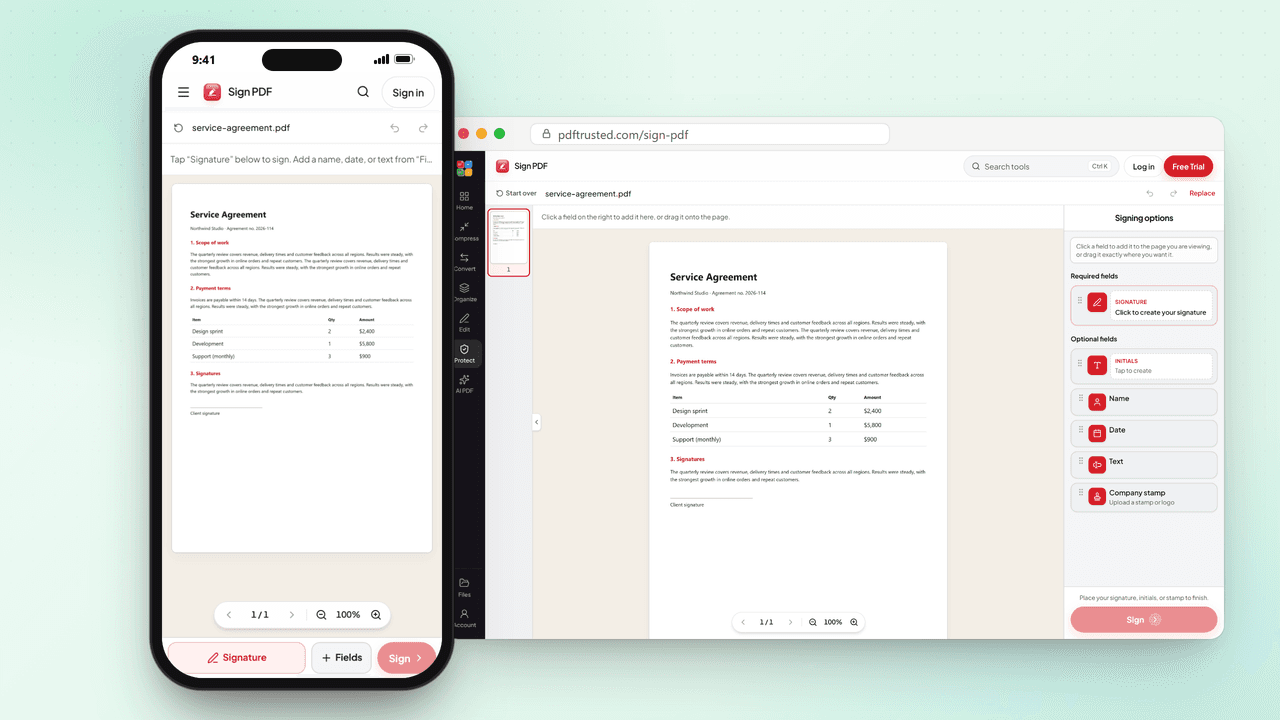
Sign on the page — then download
Draw or type a signature, drop initials, dates, and text where they belong, and export a clean signed PDF. Built for contracts, forms, and homework that need a real mark — not a cluttered editor.
Open Sign PDF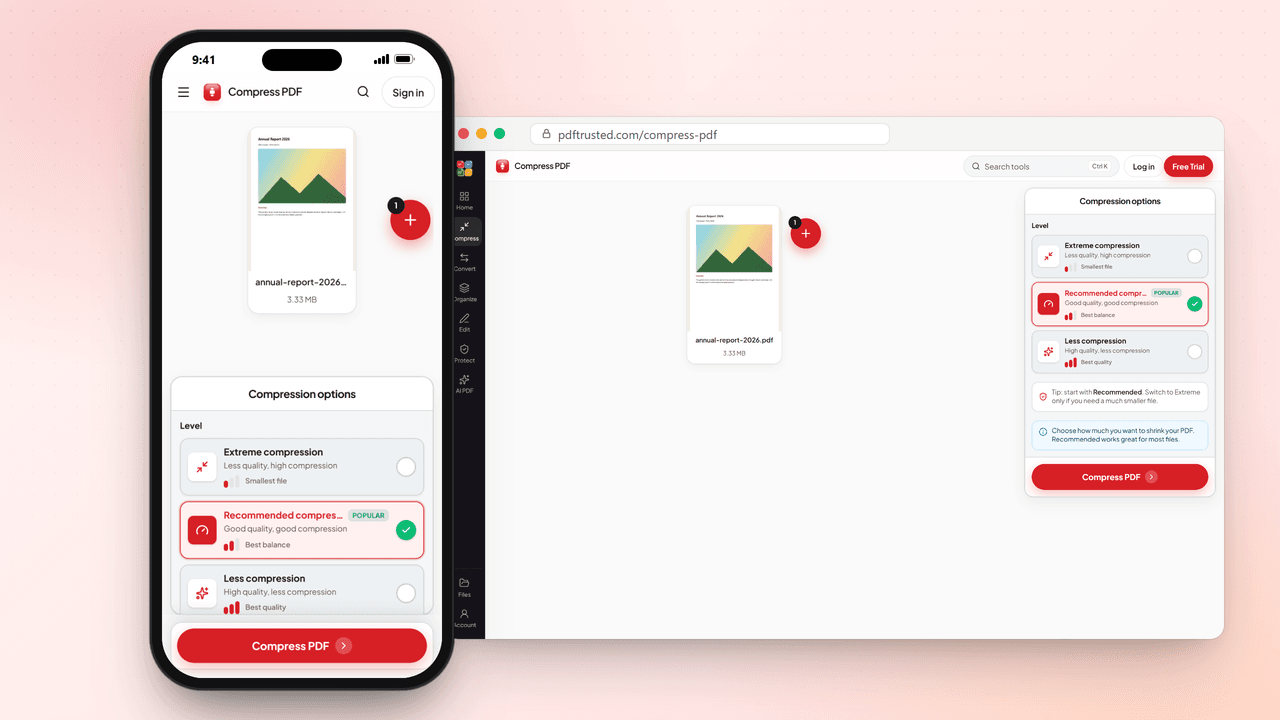
Shrink, merge, and tidy pages
Compress a heavy file for email. Merge scans and PDFs into one. Split, rotate, extract, or rearrange pages when the order is wrong. Everyday organize tools stay calm and ready on phone or desktop.
Try Compress PDF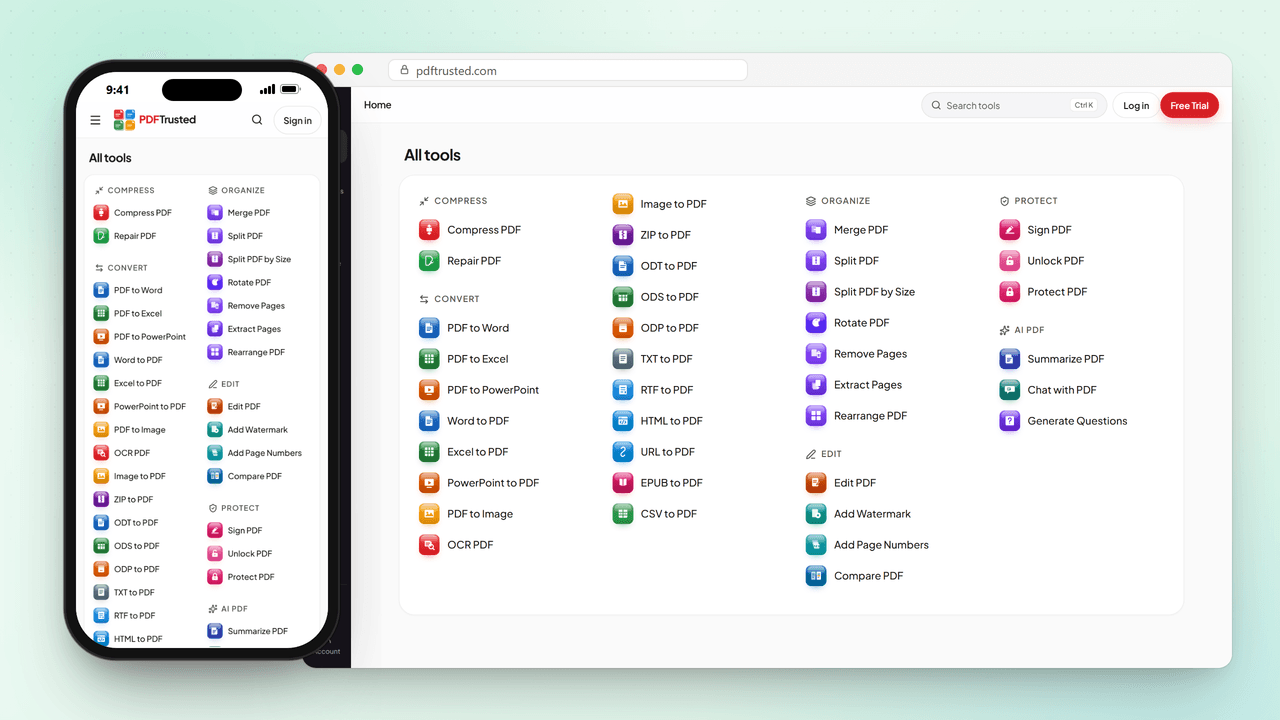
Convert when the format has to change
PDF to Word, Excel, or PowerPoint. Office files back to PDF. Images in or out. Secure cloud OCR for scans you need to search — multi-language ready. Pick the conversion you need and download.
Convert PDF to WordOn your device for everyday work. Our cloud for heavy jobs.
Everyday tools — merge, split, compress, sign, protect, unlock, watermark, page numbers, and image conversion — run in your browser, so your file never leaves your device. OCR, Office conversion, AI, and very large Pro documents use a short encrypted cloud job that is deleted after processing. That split is deliberate: heavy work stays off your phone, so a low-end device never hangs. Temporary leftovers are removed within 1 hour.
Why people pick PDFTrusted
Simple tools, clear limits, and privacy you can actually understand.
Your file stays on your device
Merge, split, compress, sign, protect, unlock, watermark, page numbers, and image tools run in your browser — the file is not uploaded for those jobs.
Cleanup within 1 hour
Secure conversion jobs delete temporary files after download when possible, and leftovers are removed within one hour. No silent document archive.
The tools you actually use
Compress, merge, split, convert, secure cloud OCR, sign, unlock, and AI helpers with Standard or Advanced modes — written for real school and work uploads.
Fast even on low-end phones
Everyday files are processed on your device, instantly. Heavy OCR, conversion, and AI run on our servers instead of your phone, so a modest device never hangs — Chrome, Safari, Edge, and Firefox.
Need higher limits? See pricing
FAQ
Are PDFTrusted tools really free?
Yes. Compress, Merge, Split, Sign, Protect, Unlock, Watermark, and Image to PDF run on your device — the file is never uploaded — and cover files up to 100 MB. Office conversion, OCR, and AI run as short secure cloud jobs with their own free daily uses. No ads, no watermark, and no sign-up needed to start.
Is it safe to use PDFTrusted with my documents?
Yes. Everyday tools such as merge, split, compress, sign, protect, watermark, and image conversion run in your browser, so the file is never uploaded to our servers. OCR, Office conversion, and AI — plus very large Pro documents — run as a short encrypted cloud job that is deleted after processing, with any leftovers removed within 1 hour. We never sell your documents.
Do I need to create an account?
No. Open any tool and start right away. An account is optional and adds PDFTrusted Storage for your files and a short tool History, so you can download a finished result again or send it to another tool.
Can I use PDFTrusted on my phone?
Yes. Every tool works in Chrome, Safari, Edge, and Firefox on Android and iPhone, as well as on Windows, Mac, and tablets. There is nothing to install, and the pages are built to stay fast on everyday phones.
What can I do with PDFTrusted?
Compress and merge PDFs, split or rearrange pages, convert PDF to Word, Excel, PowerPoint, or JPG, turn Word, Excel, PowerPoint, and images into PDF, make scans searchable with OCR, sign, protect, or unlock PDFs, add page numbers and watermarks, and summarize or chat with a PDF using AI.
Will my files have a watermark?
No. Files you download from PDFTrusted never get a watermark or a logo added, on the Free plan or on Pro. What you download is your document, ready to send.
What does PDFTrusted Pro add?
Pro is for long documents and busy weeks: up to 200 pages per OCR, conversion, or AI job, files up to 100 MB, more daily uses, and 1 GB of PDFTrusted Storage. The tools and the clean, ad-free workspace stay the same.
Is PDFTrusted good for students?
Yes. Students use PDFTrusted to compress assignments for upload portals, merge notes and scans, convert slides to PDF, and summarize long readings. Every free tool works without signing up, and there are no ads to click through.
Your next PDF task, done in seconds.
Start free with no sign-up. Upgrade only when you need higher limits.